
Claude Code Setup That Saves Time and Tokens
The simple global vs project structure that keeps Claude useful without wasting context.

What It Is
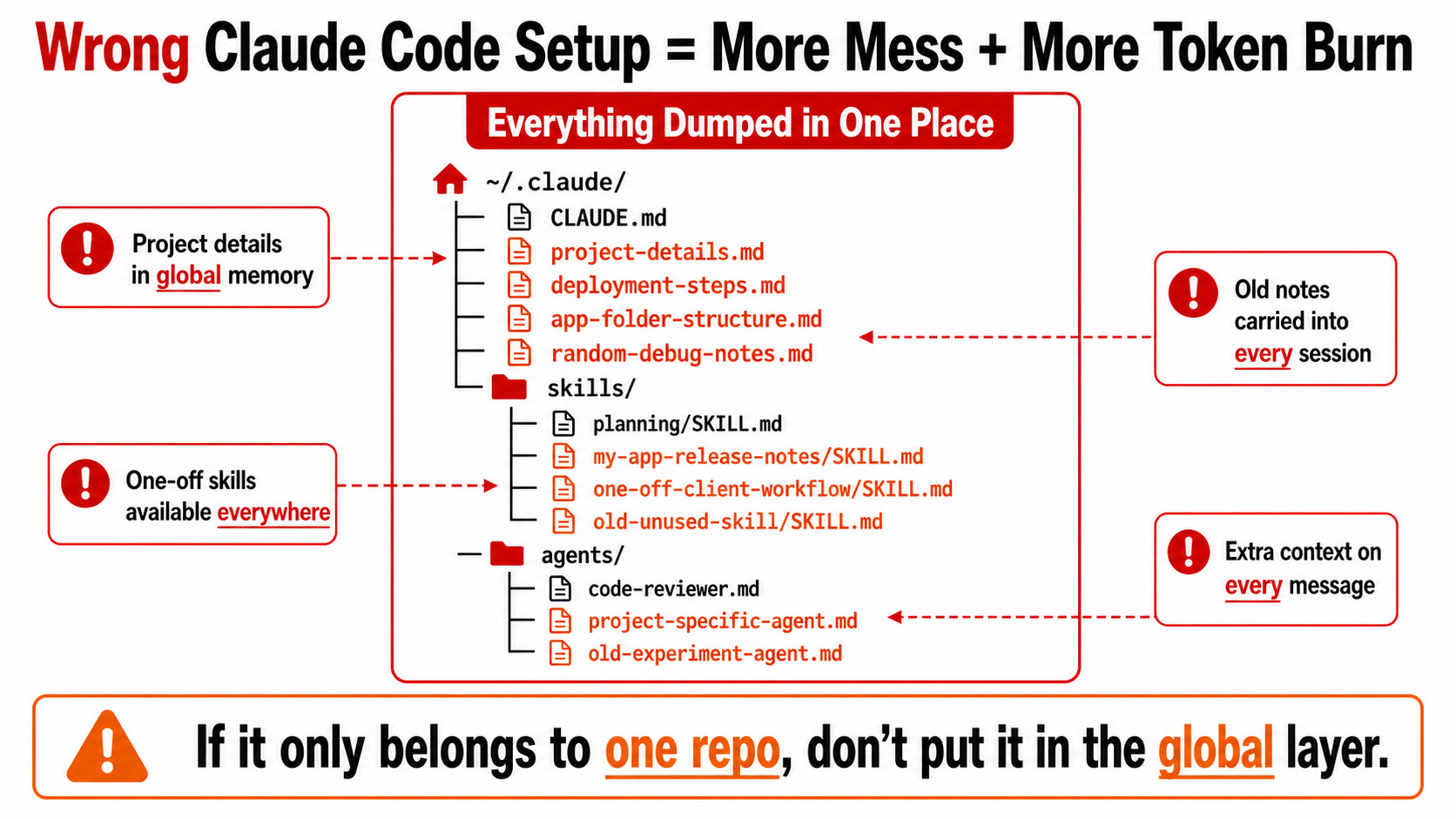
Most people set up Claude Code by dumping everything into one place. Global rules, project notes, coding preferences, repo details, agents, skills, deployment steps, all mixed together.
That works for a little while, but it gets messy fast. Claude starts carrying context it does not need, and your setup becomes harder to reuse across projects.
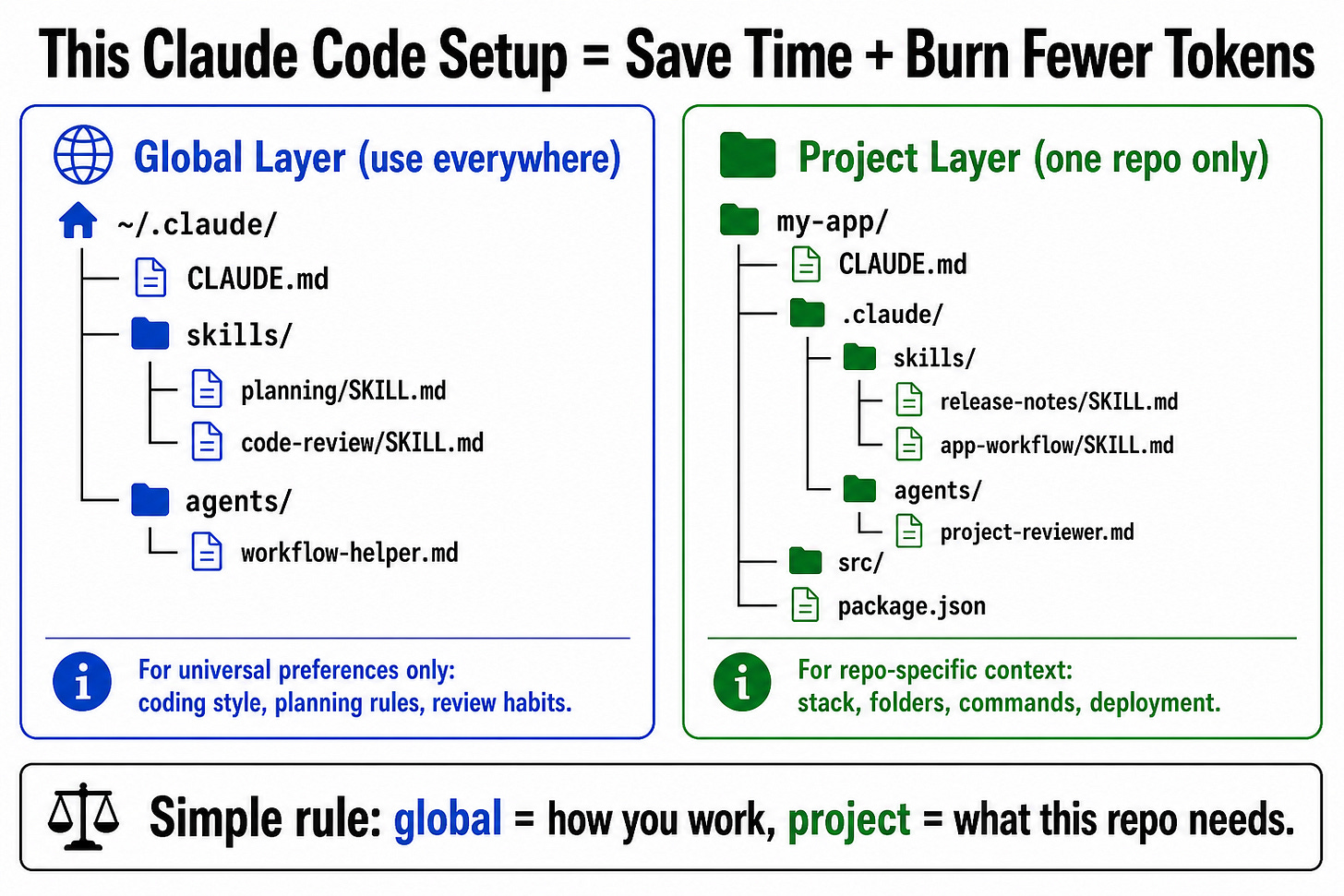
The better structure is to split your Claude Code setup into two layers: global and project level.
The global layer is for behavior that should apply everywhere. The project layer is for context that only matters inside one specific repo.
Why It Matters
Claude Code gets better when the right information is available at the right time. If you overload the global setup, Claude carries unnecessary context into every project and every message.
A clean setup makes Claude more consistent, faster to guide, and easier to scale across multiple repos.
How It Works
Ask Claude to create your global CLAUDE.md file. This is the file that tells Claude how you like to work across all projects. Put general preferences here, like coding style, how detailed you want explanations to be, how you want plans written, and what habits Claude should always follow.
Keep that global file broad. Do not put project details inside it. No app names, no folder structure, no deployment steps, no one-off commands. If it would only make sense for one specific project, it does not belong in the global file.
Ask Claude to create a project-level CLAUDE.md inside the repo you are working on. This is where you explain that specific project. Tell Claude what the app does, what stack it uses, where important files live, how to run it, how to test it, and how to deploy it.
Only add global skills or agents if you use them all the time. For example, a planning skill, a code review skill, or a writing workflow you use across many projects. If you barely use it, do not make it global because it can add extra context Claude has to carry.
Put project-specific skills and agents inside the project instead. These should only be for workflows that belong to that repo. For example, a skill for generating your app’s release notes, checking your project’s custom rules, or running a specific internal workflow.
Use this simple rule: global is for how you work, project-level is for what this repo needs.
Key Features
Global Claude.md: Defines Claude’s default behavior across all projects.
Universal rules only: Keeps reusable preferences separate from repo-specific details.
Global skills and agents: Best for workflows you use constantly.
Project context: Stores stack, folder structure, commands, and deployment notes for one repo.
Project skills and agents: Keeps specialized workflows scoped to the repo where they belong.
Cleaner context: Prevents Claude from carrying unnecessary instructions everywhere.